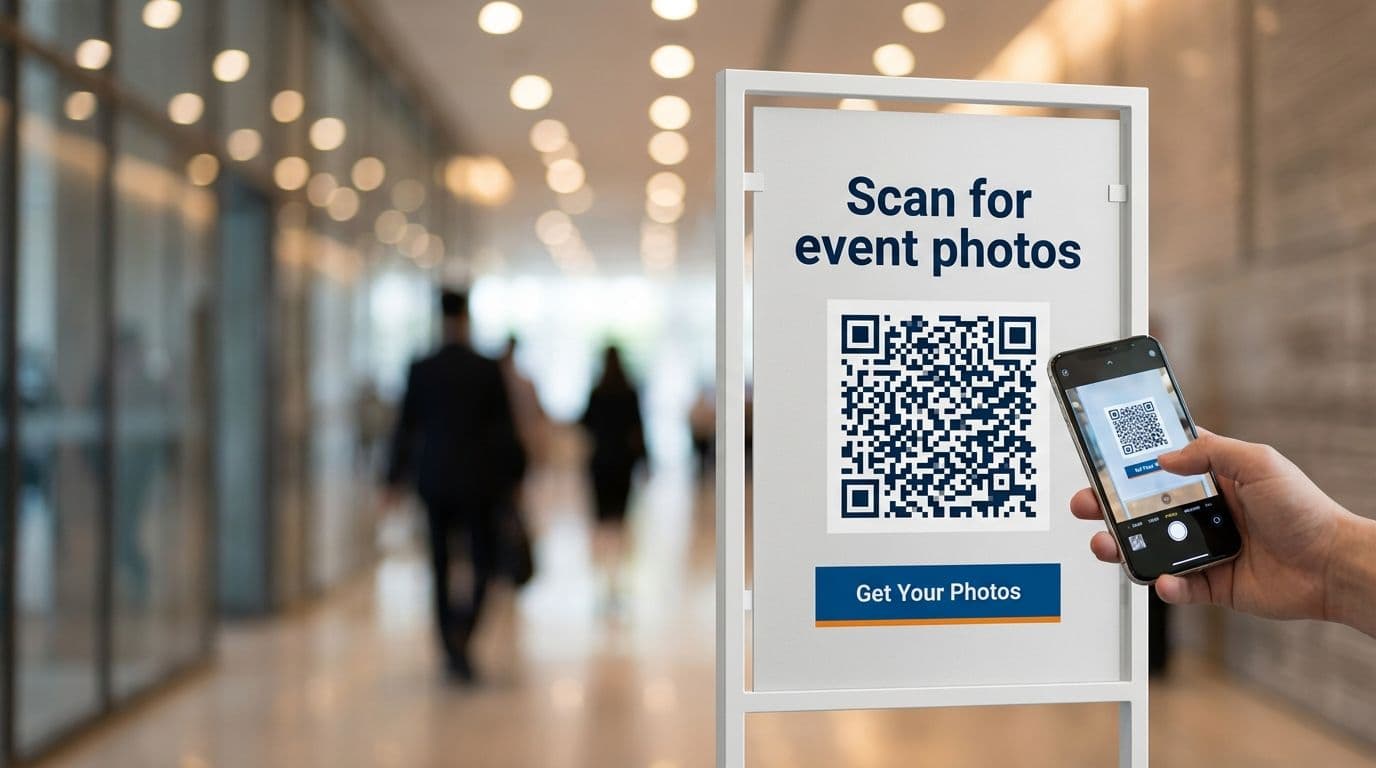
You probably spot those black and white squares everywhere. They even show up on your lunch menu or a city billboard. But here is one thing most people do not realize. They are event planners' secret weapon. QR codes moved far past a quick link to a restaurant menu. Now they change how you share photos at big events and conferences. With the right setup, conference photo sharing becomes instant and organized instead of chaotic.
Imagine that you walk into a tech conference and the speakers own the stage. The networking is solid. But grabbing photos from the event? That is almost always a mess. You end up digging through random hashtags or waiting weeks for an official photo update. There should be a better way.
You can get one with QR codes for events, which make photo sharing simple, fast, and even a bit fun.
In this guide, we will walk you through every step. You will see why it works and learn what headaches to avoid.
What Are Qr Codes And How Do They Work
A QR code is a Quick Response code. You can think of it as a 2D matrix barcode that works double duty. Traditional barcodes store information horizontally, while QR codes store it both horizontally and vertically. That’s why they can store much more data in less space.
Point your smartphone camera at a QR code and your phone instantly knows what to do. Maybe you end up on a website or see a file pop up. It feels smooth but relies on straightforward tech.
For events, this is very helpful. You can stick a code on almost anything and use it to schedule or display a speaker’s info. But nothing beats linking it to a photo gallery for events.
Imagine this. Somebody walks past a poster and scans the code. They jump into a shared event gallery right away, see pro shots, and maybe add their own photos too. No apps to install. No new accounts. Just in, out, and fun very fast.
Why Use Qr Codes For Conference Photo Sharing
Why should you switch? Why not keep sharing links by email later? The main reason is speed and boosted engagement.
Conferences move fast. Nobody wants to enter a giant website link letter by letter. People crave instant results, and QR codes for events provide access without extra effort. Most organizers switch because it fixes classic event photo sharing problems like lost links, messy folders, and low participation.
Here is what lets this method win over old ones.
Convenience
- Attendees scan and move on.
- No searching for forgotten links.
- Forget those heavy apps that slow down phones.
Speed
- Photos arrive instantly.
- Uploads take seconds, not hours.
- It is easy to share photos on socials.
Eco friendly
- Skip printed photo sheets.
- Flyers waste less paper now.
- Digital galleries outlast stacks of printouts.
Attendee engagement
- Puts people in the photo action.
- Changes quiet viewers into crew.
- Gives real buzz to your event.
Seeing your photo right away feels great. You can post to Twitter or LinkedIn with a quick tap, which gives your event free exposure and keeps the mood up the entire day.
According to industry reports, the QR code market is growing at a CAGR of 16.8% through 2031. That means people feel more ready than ever to scan for content. The audience is in on QR code tech now.
How To Set Up Qr Codes For Photo Sharing At Your Conference
You do not need tech skills. You can start with basic tools and simple planning. Here is each part broken down step by step.
Choose Your Platform
You need a real home for your photos, and this is where Fotny helps.
Here’s how Fotny works for QR-based access and instant galleries.
You can quickly build a secure gallery. Look for a place that offers digital event solutions, instant photo uploads, and strong privacy. You can have more polished than basic drives.
Create Your Gallery
Set up your event page and add your logo or brand colors for branded galleries that match your conference vibe. Then, look at the permission settings. Should everyone upload their shots, or do you want view-only access? You can set everything accordingly.
Generate Your Qr Code
Good news here. Platforms like Fotny and similar tools make your QR code for you, so there’s no need for a third party. Just click and grab your own code.
Test It Out
This bit is critical. Scan it yourself and check if the gallery appears quickly. Have a friend test it and fix anything that feels off. Never print codes on attendee badges until you are certain they work.
Photo sharing platforms are built just for this now. They handle all the tough tasks so you can focus on the event.
Best Practices For Using Qr Codes At Conferences
You got your code. Now what? Hiding it in a corner helps nobody, because where you place it changes everything. You want conference attendee engagement to soar? Make your codes stand out.
Visibility is key
- Codes go up to face height.
- Use bold colors that pop.
- Print large, scan from a distance.
Strategic locations
- Place at check in desks.
- Pin to badges or lanyards.
- Add to lunch tables as tent cards.
- Show on slides during talks.
Clear call to action
- Never just leave plain code.
- Prompt people plainly.
- Type something like Scan for photos or Snap and share selfies.
Design matters
- Drop your logo in the center of the code.
- Match the outer colors to your branding.
- Keep the border simple and clean.
Make sure the code is user-friendly so that people use it. Hiding it or making it tricky will let them skip it.
How To Integrate Qr Codes With Photo Sharing Platforms
Integration sounds tough, but it's really just linking two things. Your QR code points from the real world to the online photo hub.
Good event technology solutions will almost feel invisible. The simpler and the better.
Pick a dedicated tool like Fotny that combines QR access, galleries, AI sorting, and live slideshows. It combines the QR code and gallery in a single step. The QR code is the front door, and the platform is the space inside.
How it usually works:
The scan
- Open your phone camera.
- Point at the code.
- Phone browser pops open.
The interaction
- Land on your branded page.
- View photos immediately or hit the upload button.
- AI tools sort the gallery for you.
The result
- Photos show up live right away.
- Everyone sees the most recent uploads.
- The gallery evolves all day.
You can plug this into other stuff and display live photo slideshows on screens. As the crowd uploads, images appear instantly on stage.
Common Challenges And How To Overcome Them
There will be a few snags sometimes. So, stay ready for classic problems. Here is what pops up the most with QR code scanning.
Low scan rates
- Problem - People miss the codes.
- Solution - Turn it into a game. Give a prize for the best uploaded photo. Make signs bigger.
Internet connectivity
- Problem - Conference Wi-Fi rarely works well.
- Solution - Check that your gallery loads over cellular data. Test in your space ahead of time.
Blurry codes
- Problem - Printing is too small or of low quality.
- Solution - Always start with SVG or large PNG files. Never stretch tiny images.
That’s why moderation matters—tools that prevent unwanted content keep your gallery and live screens professional.
User confusion
- Problem - Some folks don't know how to scan.
- Solution - Set up a help desk. Post simple step guides. Train some staff to walk people through the scan.
In this way, you can sort these out in advance and smooth out the attendee experience.
Real Life Examples Of Qr Codes For Photo Sharing At Events
Now, it is time for practical lessons.
Corporate Conferences
Events printed QR codes on promotional materials, with each code linking to a photo-sharing gallery. By the event’s end, hundreds of photos filled the album, and attendees loved finding pictures of themselves or colleagues. Organizers even set up a live photo wall during breaks, which kept people engaged throughout the day.
The Corporate Retreat
This team getaway skipped social sharing but still wanted some group laughs. They created a private QR code gallery where people uploaded silly moments or scenes. Everything stayed inside the company, and morale was boosted with zero outside eyes.
The Music Festival
Same idea, just with a larger audience. Massive QR posters lined the fence, and fans added their favorite angles. The group ended up with one of the most complete photo albums possible.
Industry surveys show that 74% of event organisations use social media to interact with customers, with 81.5% aiming to publish engaging content.
How To Measure The Success Of Your Qr Code Photo Sharing Strategy
Put the plan in motion. Did it work? The only way to know is to track the numbers. ROI matters to leadership, and conference networking tools often provide analytics. Here are some key things you can track:
Scan rates
- Count of unique scanners.
- What time did they scan?
- Which location performed best?
Upload volume
- How many photos came in?
- Were some people more active?
- Did uploads spike during certain moments?
Engagement
- How many downloads occurred?
- How many viewers?
- Did users share externally?
If you spot a weak point, revise it for your next event. Move signs, change up prizes, and use the data to make decisions instead of guessing.
Which Is The Best Platform For Qr Code Photo Sharing
There are many choices. Google Photos is basic but sloppy for events. Dropbox stores files, but feels clunky. You need something designed for conference work.
Here are some platforms tuned with event tech trends.
Google Photos
- Fine for personal sharing.
- Weak privacy layers.
- Hard to organize professionally.
Dropbox or Drive
- Decent for simple storage.
- Weak for gallery looks.
- Missing interaction features.
Fotny
- Built ground up for events.
- Organizes with AI.
- No app forced on end users.
- Offers privacy and ways to monetize.
As professional conferences cannot afford a messy system. Fotny balances strength and pure simplicity. It offers advanced moderation and content control tools, which matter when any guest can upload. You must keep the big screen clear of trouble. If you want to launch this setup quickly, see pricing and choose the plan that fits your event size.
Faqs
What Should I Do If Attendees Cannot Scan The Qr Code?
You can always have a backup. Print a short URL below the QR code, something like “fotny.com/eventname”, so people can type it in if the scan doesn’t work.
How Can I Ensure My Qr Codes Stay Secure?
Pick tools with password or email-only access, so even if your code leaks, outsiders cannot get in. Fotny does privacy right.
What Is The Best Way To Design A Qr Code For Events?
Go high contrast. Black codes on white work best. If you add color, use a deep shade, and include a white space border so the camera can focus quickly.
What Should You Do If The Qr Code Does Not Work?
You can check the internet first. Make sure the print looks sharp and big enough. If it fails, reprint or send everyone to the short URL. Always run a test before attendees arrive.
Key Takeaways
Before leaving, read these key takeaways of the article:
- QR codes are a powerful tool for enhancing attendee engagement at conferences.
- Setting up QR codes for photo sharing is simple with the right tools and platforms.
- Best practices include strategic placement, user-friendly design, and integration with popular photo-sharing platforms.
- Overcoming challenges like low scan rates and technical issues ensures a seamless experience.
- Measuring success through metrics like scan rates and downloads helps optimize future events.