The wedding ends. The dancing stops. And then the real problem starts. Photos end up scattered across WhatsApp threads, buried in Instagram stories, and sitting on camera rolls that nobody ever shares. Most couples chase those memories for weeks. Some never get them at all.
A QR code for photos at a wedding fixes this problem completely. Guests scan it, pick photos from their camera roll, and upload in seconds. No group chats. No compressed files. No chasing. Fotny is built around this idea. It handles guest photo sharing, AI search, privacy controls, branded albums and even photographer monetization, all in one place. The free plan requires no credit card. A new album takes about two minutes to set up.
Here is a look at every Fotny feature and how it makes wedding photo sharing work the way it should.
What Is a QR Code for Wedding Photos and Why Do Couples Need One
A wedding photo QR code is a scannable link. Guests point their phone camera at it and land directly on a shared upload page. No app. No account. No password (unless the host sets one). They upload photos straight from their camera roll. The problem it solves is real. A professional photographer captures the ceremony beautifully. But they miss the moment your grandmother laughs at the wrong time during the vows. Your college friend catches it. Your cousin films the flower girl tripping over her dress. These candid shots never reach you unless there is a simple way for guests to send them.
Most photo sharing tools add friction. They ask guests to download something or sign up somewhere. People skip it. Fotny was built so that the process works for every single guest, including those who struggle with technology. One scan and the photo is in the album. If you are still comparing options, this guide on the best event photo sharing apps covers how different platforms handle guest uploads and what separates them.
Essential Features of Fotny for Wedding Photo Sharing
Fotny brings together everything a couple or photographer needs to collect and manage wedding photos in one place. Guest access works through a simple QR code or link with no login required. AI tools detect faces automatically and filter inappropriate content before guests see it. At the same time, host controls let the album owner manage privacy, uploads, and visibility at every stage. Branding options also help keep the gallery personal instead of looking generic.
PRO tools add photo sales, team management and bulk upload for professional photographers. Fotny works just as well for birthdays, anniversaries, and other celebrations where memories end up scattered across a dozen different phones.
Below, we break down each feature in detail.
No App, No Login, No Friction — Guest Access Done Right
Fotny guests open the event album by scanning the QR code or tapping a shared link. There is no app download and no account creation. The album loads directly in their phone browser, so the experience is immediate. Over 90% of smartphone users abandon a process that requires a new app download, and Fotny skips that barrier entirely.
The free plan requires no credit card to start. A host can create a free album, set it up and share it within minutes. Guests at the venue scan a printed QR code on a table card or welcome sign and start uploading right away. The old approach asked guests to join a Dropbox folder, find a shared Google album, or remember a hashtag they would definitely spell wrong. Fotny removes all of that. To understand exactly how the platform works end to end, the how Fotny works page walks through the full guest and host flow.
AI-Powered Face Recognition — Every Guest Finds Their Photos Instantly
How AI Face Recognition Works on Fotny
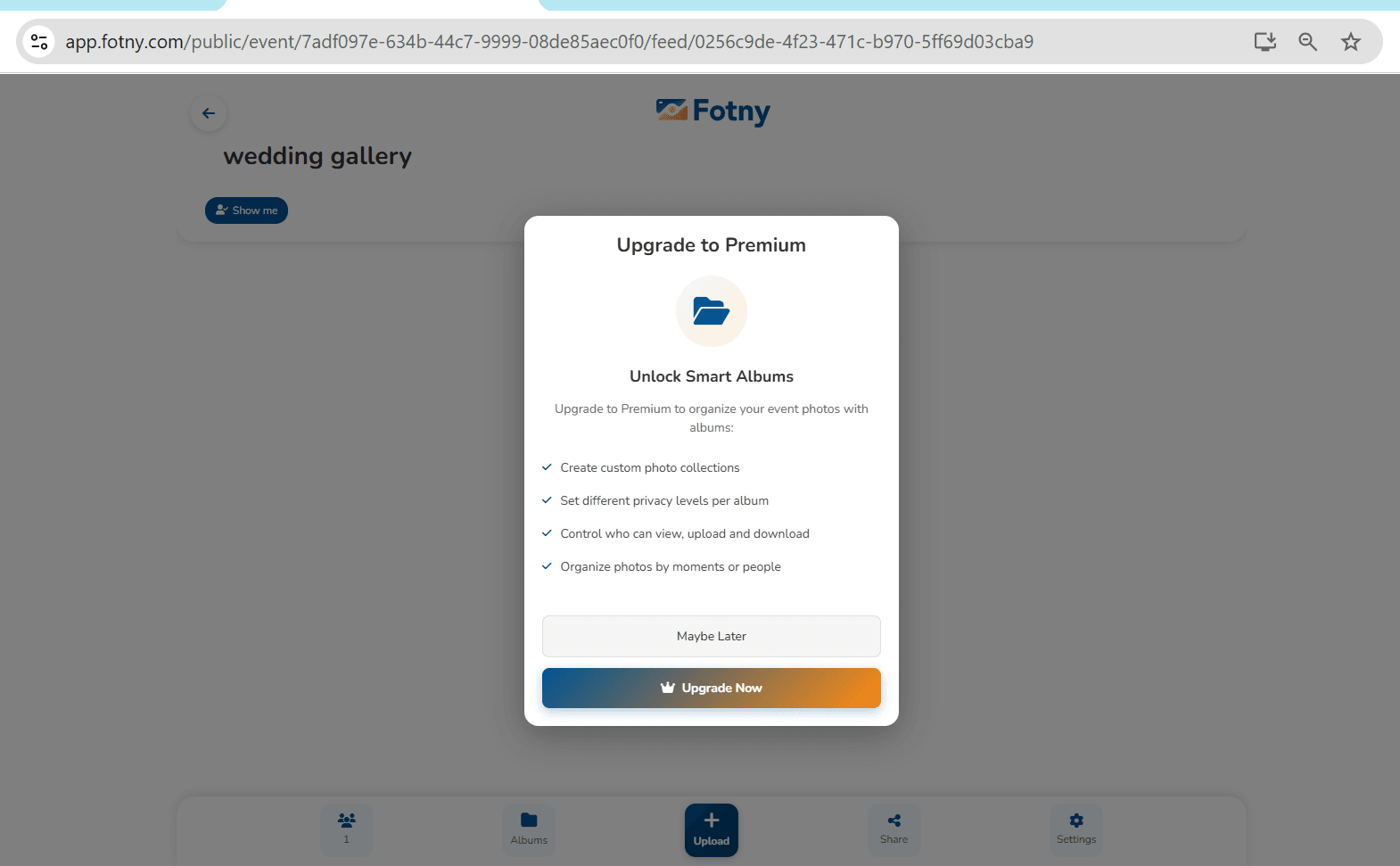
Fotny scans every uploaded photo and detects the faces in each one automatically. A guest can search the album and find every photo they appear in without scrolling through hundreds of images. At a 200-person wedding with over 1,000 uploaded photos, this saves real time. Nobody wants to scroll through images of people they do not know just to find five photos of themselves. Fotny does the sorting automatically.
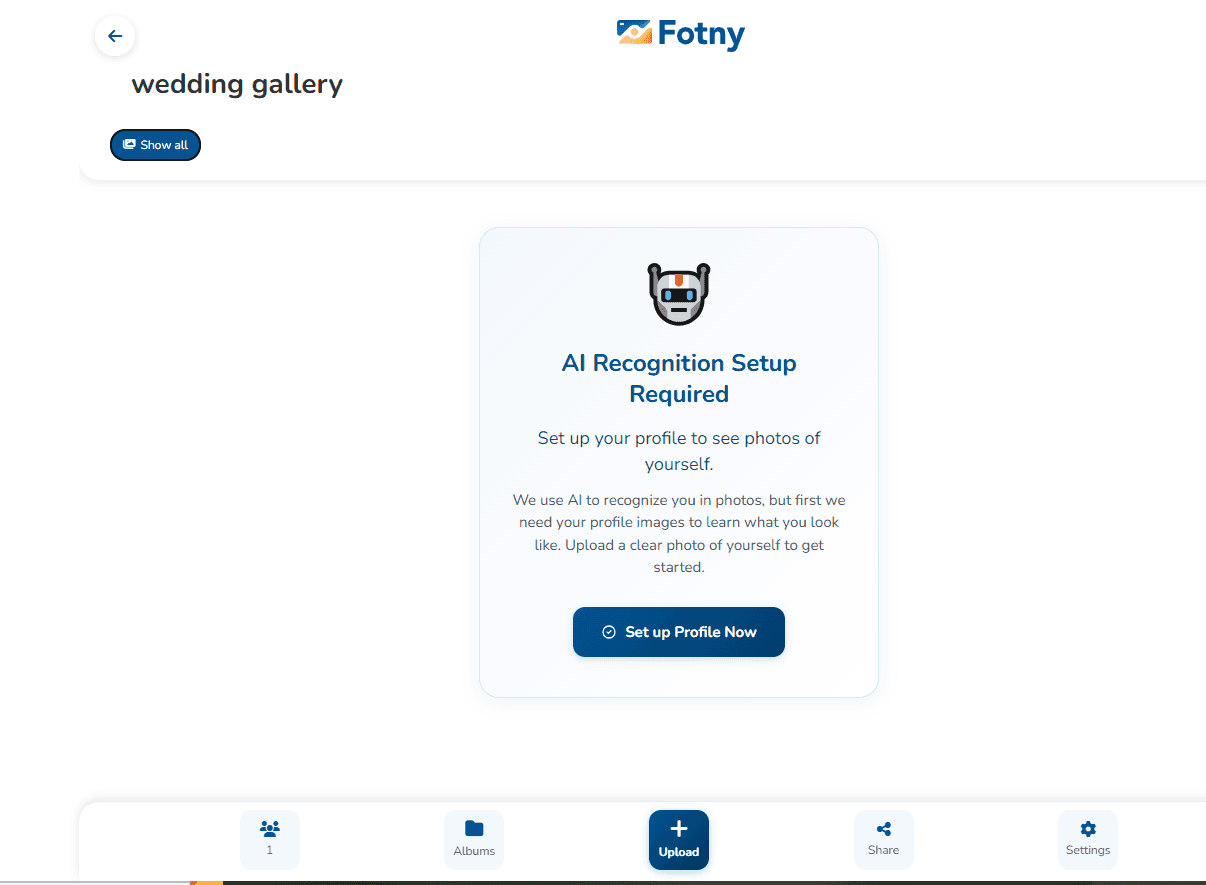
Image Visibility Control (PRO)
PRO hosts can take this a step further. The Image Visibility Control feature lets hosts set the album so each guest sees only the photos they appear in. The AI detects who is in each photo and builds a personal view for each person.
Every guest effectively gets their own private album. They see their moments without seeing anyone else's collection. No competitor in the wedding photo space currently offers face-based personalized viewing at this level.
Full Host Control — Privacy, Moderation and Access Management
A wedding album holds private family moments. Fotny gives hosts complete authority over who sees what and when.
- Feed Visibility Control - Uploads stay hidden from guests while the host collects photos. The feed only goes live when the host chooses to publish it.
- Upload Control - Hosts decide who can contribute. The album can accept uploads from all guests, from the host only, or with specific visitors blocked.
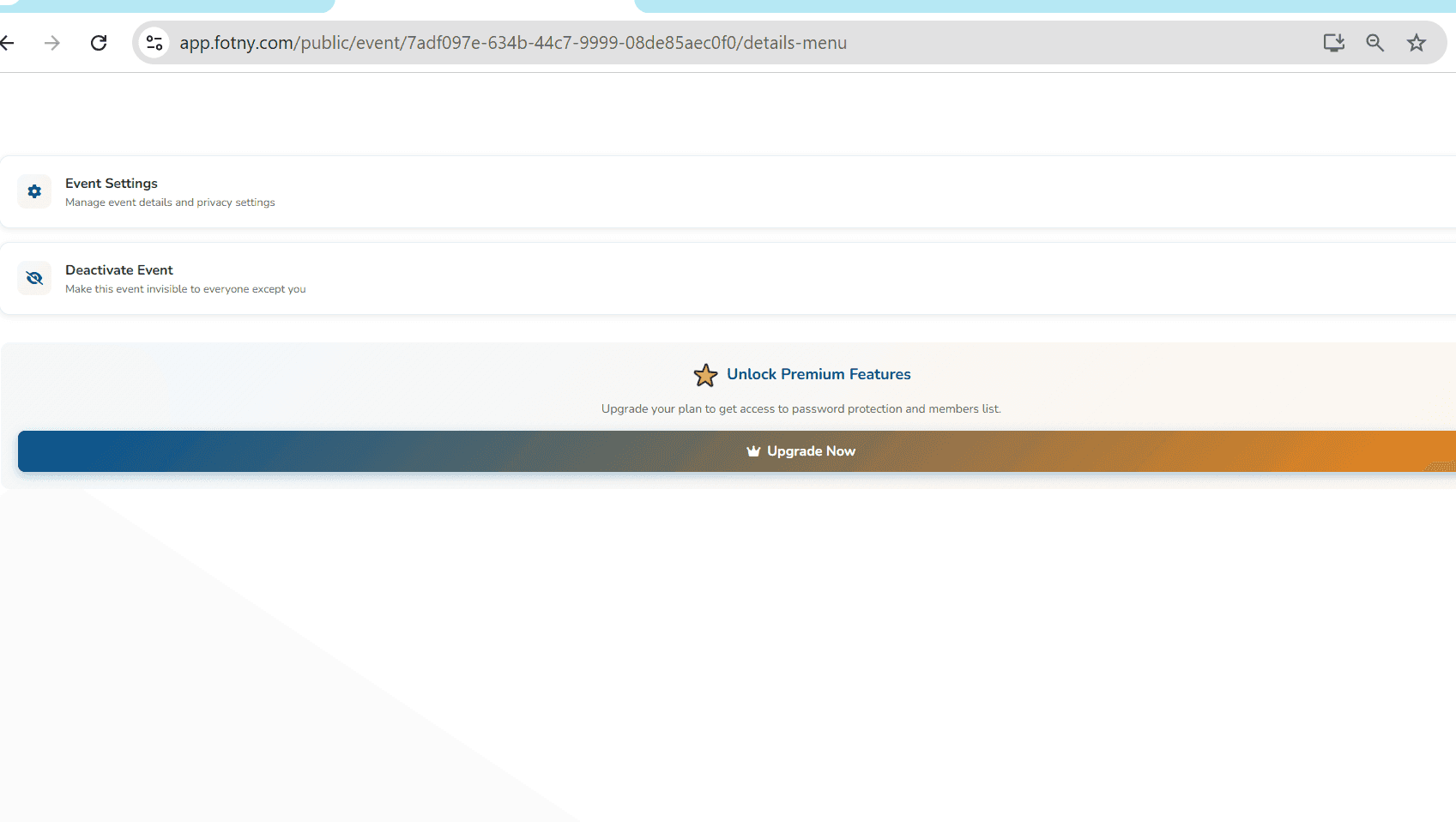
- Access Control - Hosts can add a password for new visitors and remove participants from the event at any point.
- AI Content Moderation - Fotny automatically detects inappropriate content and hides it from guests until the host reviews and approves it.
- Visitor Lists - Hosts can view all event members and see exactly who uploaded each photo.
Fotny puts complete control in the host's hands, from the moment guests arrive to the final gallery publish.
Album Styling and Branding — Make Your Gallery Look Like Your Wedding
A generic white photo platform does not match a carefully planned wedding aesthetic. Fotny lets hosts customize the event album to fit the occasion. Hosts can add a banner image, a cover photo and a custom background color. The gallery reflects the look of the wedding rather than a default template.
For professional photographers, this matters even more. A branded client delivery looks intentional. It signals quality before the client even opens the first photo. Couples looking for creative ways to collect memories on the day could also read about wedding photo booth alternatives that pair well with a digital album. The branding options sit in the album setup screen and apply instantly.
For Wedding Photographers — Sell Photos, Build Teams and Upload in Bulk (PRO)
Per-Photo Sales and Watermark Protection (PRO)
Fotny PRO lets photographers apply watermarks to every photo in the album. Guests see a protected preview. To download the full resolution, watermark-free version, they pay a price the photographer sets directly on the platform. There is no third-party store needed, and no separate payment link. Sales happen inside the album.
Team Management (PRO)
Photographers can create a team inside Fotny and add second shooters, assistants or other contributors. Every team member uploads to the same event album without sharing login credentials. For multi-photographer weddings, this keeps everything in one place without creating access problems.
Archive Upload (Bulk ZIP)
After a full wedding shoot, uploading hundreds of edited photos one by one wastes hours. Fotny accepts ZIP archive uploads, so the entire batch goes in at once.
Each PRO feature sits in a clear section of the album settings.
Download All Wedding Photos in One Click
Fotny generates a single media download link for every photo and video in the event album. Guests and couples click once and download everything. Photos transfer in full original resolution. There is no compression, the way WhatsApp and most social platforms apply automatically. Every file arrives exactly as it was uploaded.
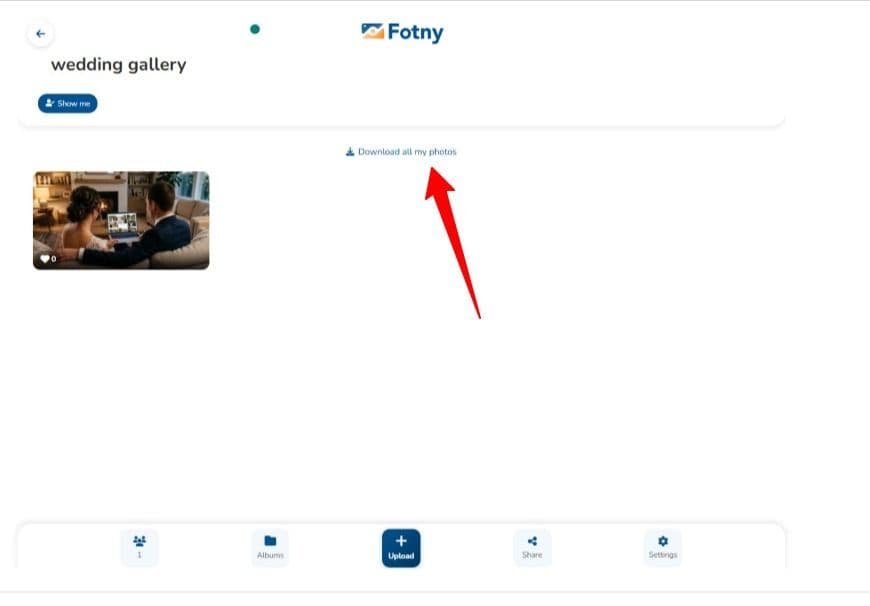
For couples who want to archive the day properly and for photographers delivering a final gallery to clients, one link is all it takes. A full breakdown of what each plan includes is available on the Fotny pricing page.
How to Set Up a QR Code for Wedding Photos on Fotny
Setting up a wedding photo album on Fotny takes less than two minutes. The steps below walk through the full process.
1 - Go to Fotny.com and click "Create Free Album." No credit card is needed.
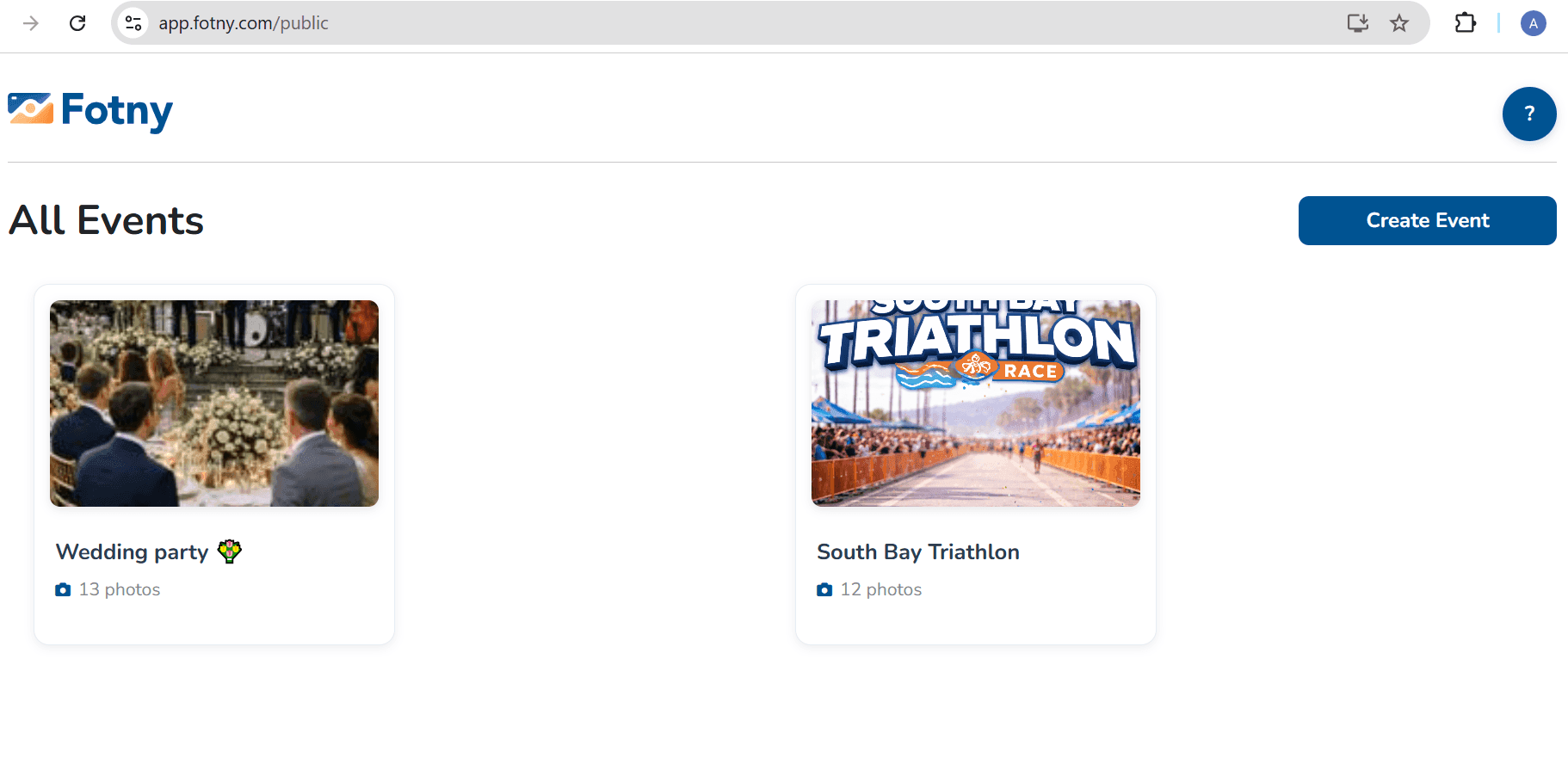
2 - Name the event. Something like "Emma and Liam Wedding, August 2026" works well.
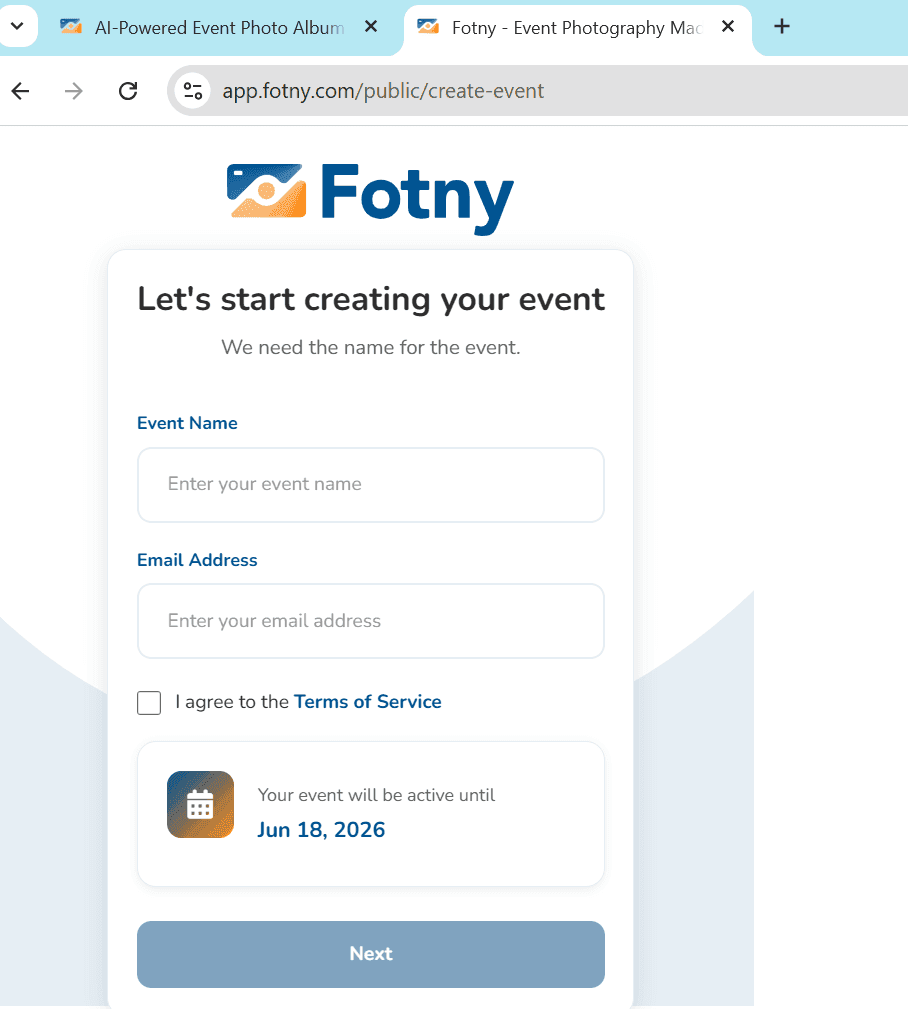
3 - Customize the album by adding a banner image, cover photo and background color. Choose your plan.
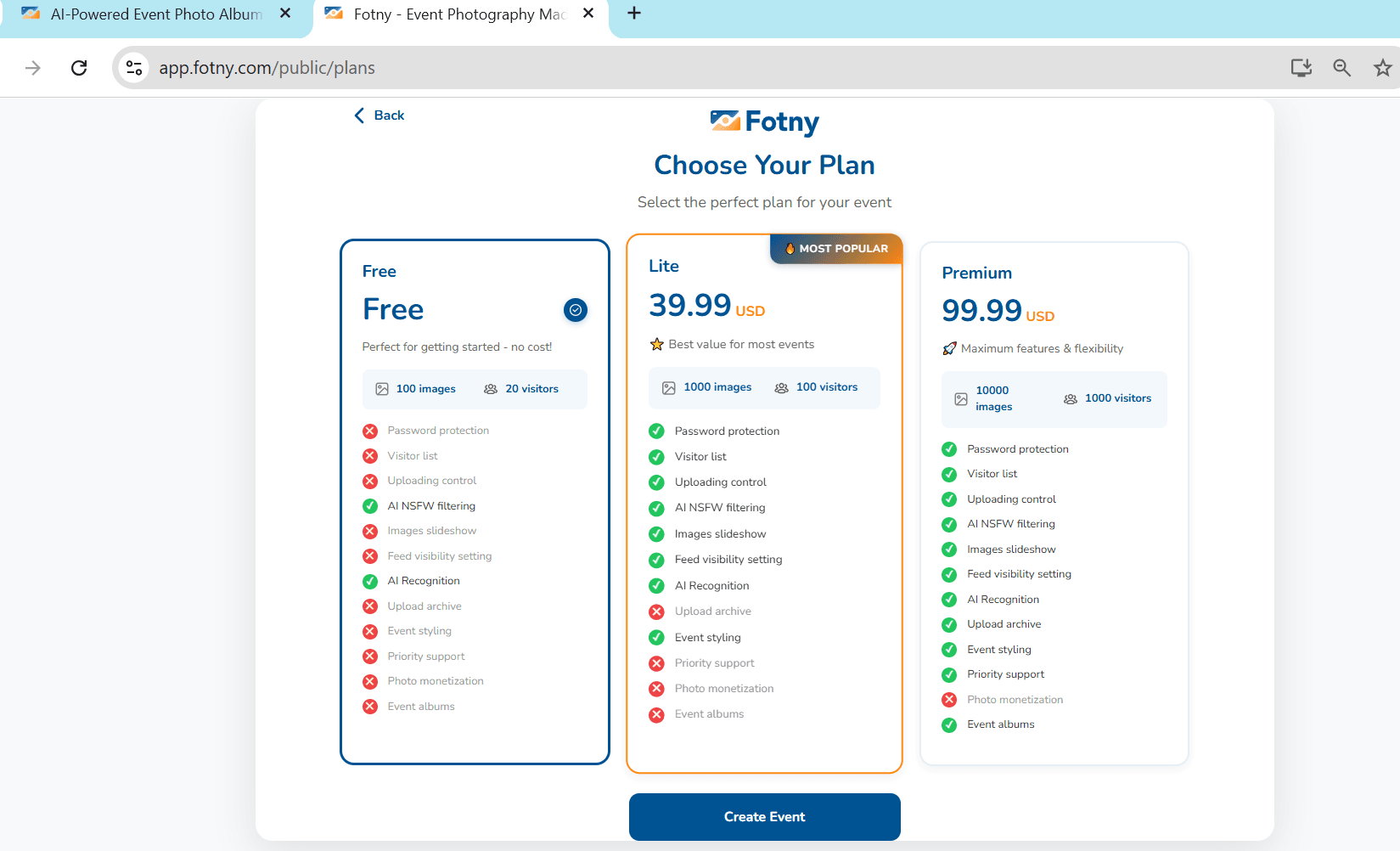
4 - Set upload control. The host can allow all guests or restrict uploads to themselves only. An access password can also be added here.
5 - Switch on AI content moderation so inappropriate photos stay hidden until reviewed.
6 - Copy the shareable link or download the QR code directly.
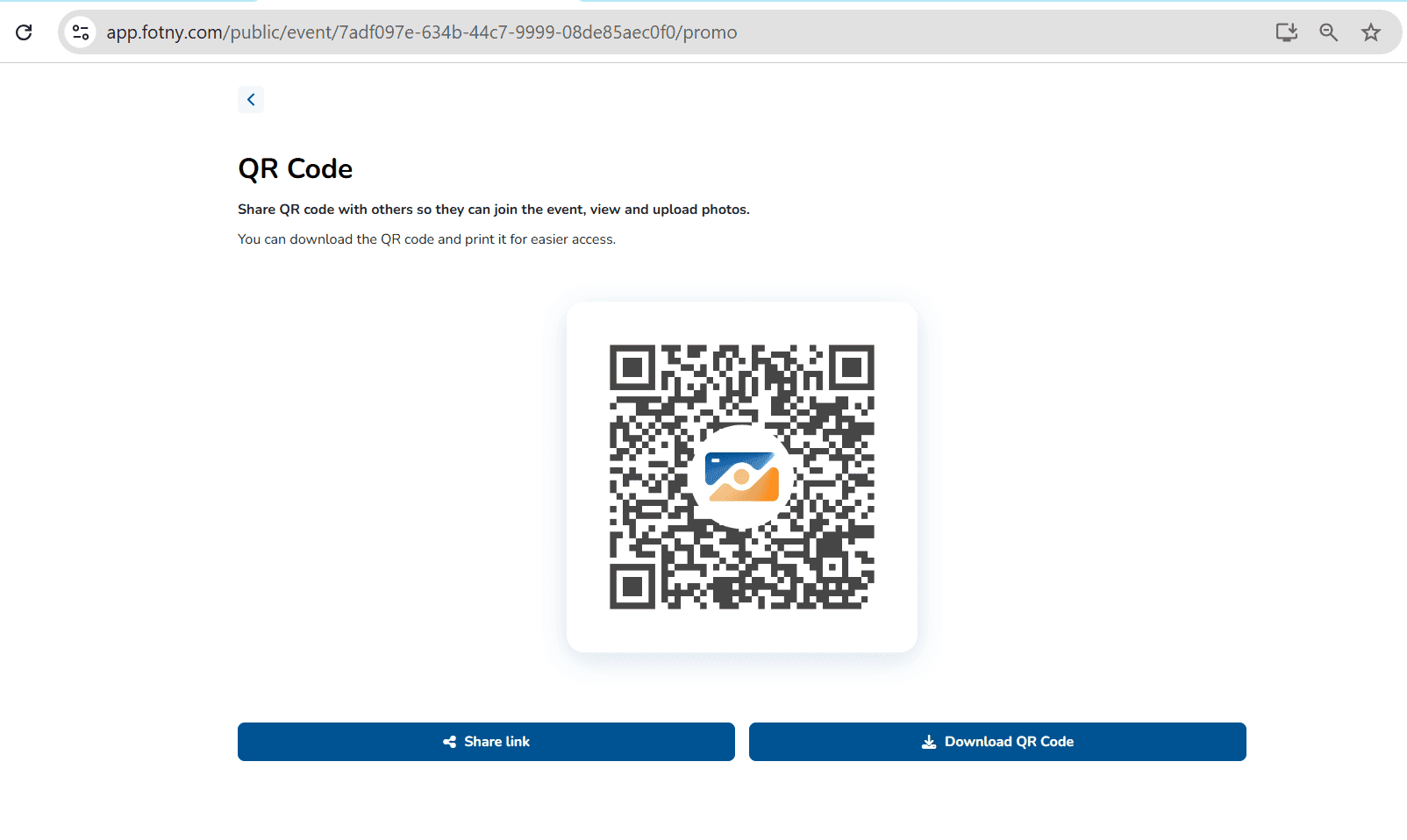
7 - Print the QR code on table cards, welcome signs or ceremony programs so guests see it throughout the day.
8 - Guests scan the code, upload photos instantly and the host publishes the feed when ready.
PRO subscribers can access a set number of events per month as part of the plan, with extra events available at reduced rates once that limit is reached.
Start a free Fotny album today. No credit card, no setup fees, just your memories in one place.
FAQs
How Do I Create a QR Code for Wedding Photos?
A free event album on Fotny generates a unique QR code automatically. No design tools are needed. Print it on table cards or signage so guests can scan and upload photos without any app or login required.
Can Wedding Guests Upload photos without downloading an app?
Yes. Fotny guests scan the QR code or tap the shared link and the album opens directly in their phone browser. No app download and no account registration are needed at any point.
How Do I Share All Wedding Photos with Guests at Once?
Fotny creates a single media download link for the entire event album. Guests can click it once and access every photo and video in full original resolution. No individual file saving is needed.
Is a Wedding Photo Album on Fotny Private?
Fotny albums are private by default. Hosts can add a password for new visitors, control who uploads and keep the photo feed completely hidden until they decide to publish it to guests.
Which is the Best QR Code Platform for Wedding Photo Sharing?
Fotny brings together QR based guest uploads, AI face recognition, automated content moderation, custom album branding and photographer photo sales in one platform. A free plan is available with no credit card required to start.
Key Takeaways
Before leaving, read the key takeaways of the article.
- Guests can instantly upload event photos using a simple QR code with no apps or accounts needed.
- Smart AI face recognition makes it effortless for guests to find photos of themselves.
- Event hosts get full privacy control, including passwords and upload limits.
- Automatic NSFW filtering keeps your event albums clean and safe.
- Professional photographers can monetize photos by selling high-resolution downloads.
- Using a QR code for photos at a wedding helps you capture ten times more candid photos than older methods.